- Home
- Documentation
- The overview and the Restore Assurance Score
Documentation
The overview and the Restore Assurance Score
One number that says whether you can restore today, and the three parts it is made of: coverage, freshness and proof.
One question at the top
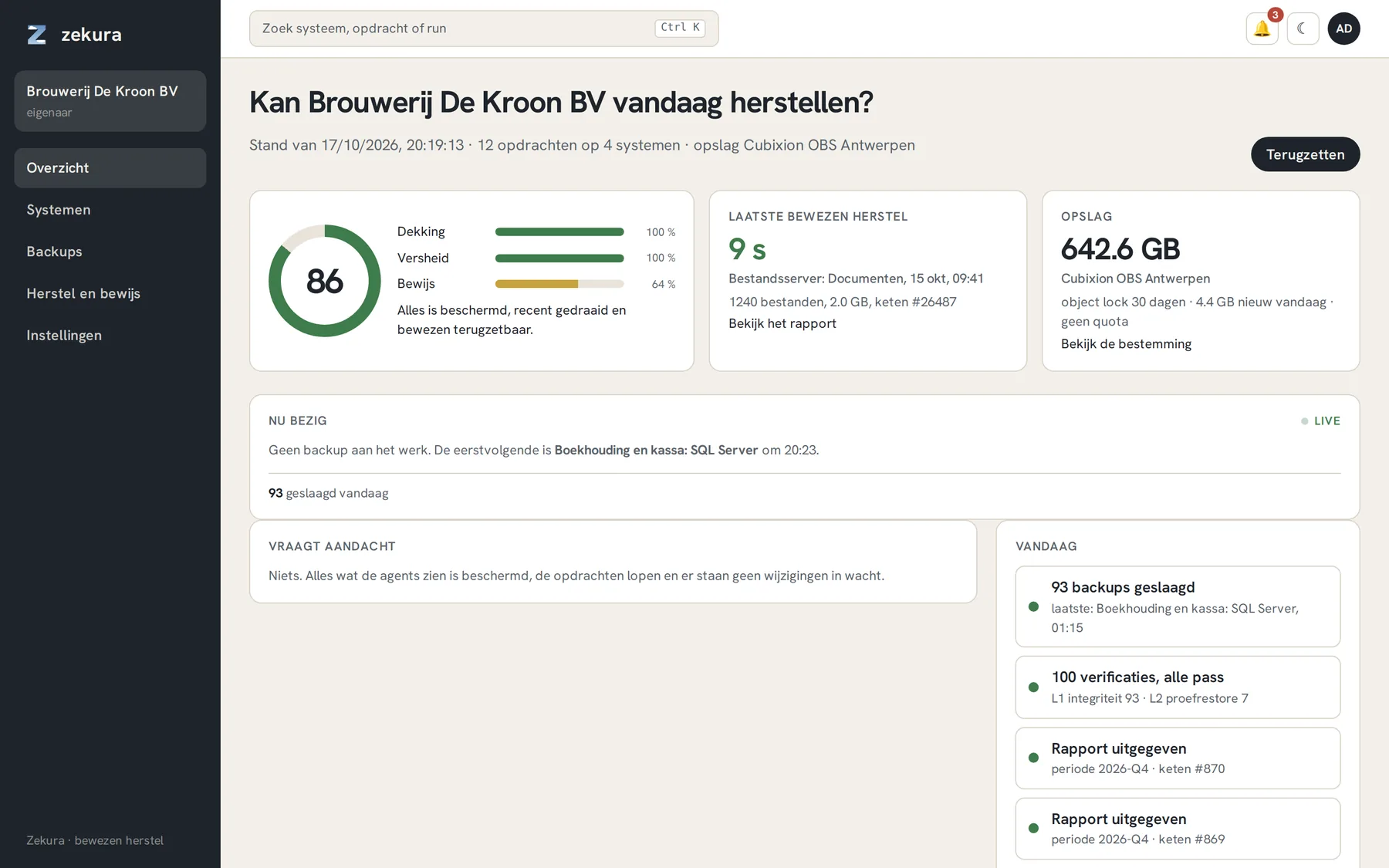
The overview opens with the question that matters: Can your organisation restore today? Below it is one number from 0 to 100, the Restore Assurance Score, with the three parts it is built from.

| Part | Weight | What it measures |
|---|---|---|
| Coverage | 30 % | what the inventory says should be protected (running databases, volumes, /etc of every server) against what has a job |
| Freshness | 30 % | the age of the last successful run against the expected interval of the job |
| Proof | 40 % | the deepest successful verification, ageing after a day, a week and a month |
A score of 80 or more is green. The score is stored daily; the trend of the last fourteen days is shown below it. An anomaly hold (see Verification) halves the proof until you lift it.
The cards next to it
Last proven restore shows the most recent restore that actually succeeded, with the measured duration and the chain record. That number is what an auditor wants to see: not "we have a backup", but "we restored it in 8 seconds, on that date, and here is the proof".
Storage shows how much is physically stored after deduplication, at which destinations, with the retention period and the quota.
Running now and Needs attention
The Running now bar is live: which backup is running, how many succeeded today, and what is queued for verification. Needs attention is your to-do list: a database that is running but has no job, a server with unprotected components, a verification that failed. Every line has a button that pre-fills the right form.
Search and switch
At the top you search across systems, jobs and runs (Ctrl K). The bell shows notifications, the moon switches to dark mode, and members of several organisations switch via the box at the top left.