- Home
- Documentation
- Storage: Cubixion or your own bucket
Documentation
Storage: Cubixion or your own bucket
Where your encrypted blocks live, what object lock in compliance mode means, and how to connect and qualify your own S3 bucket.
Default: Cubixion in Antwerp
Every organisation gets its own destination in Zekura storage when it is created: its own prefix in Cubixion's object storage, with its own IAM users and its own keys. Cubixion is a Belgian provider of S3 object storage, built and operated in Belgium and Germany, with object lock, versioning and no fees for inbound or outbound traffic. That last point matters: it is what lets Zekura really restore every night without your invoice moving.
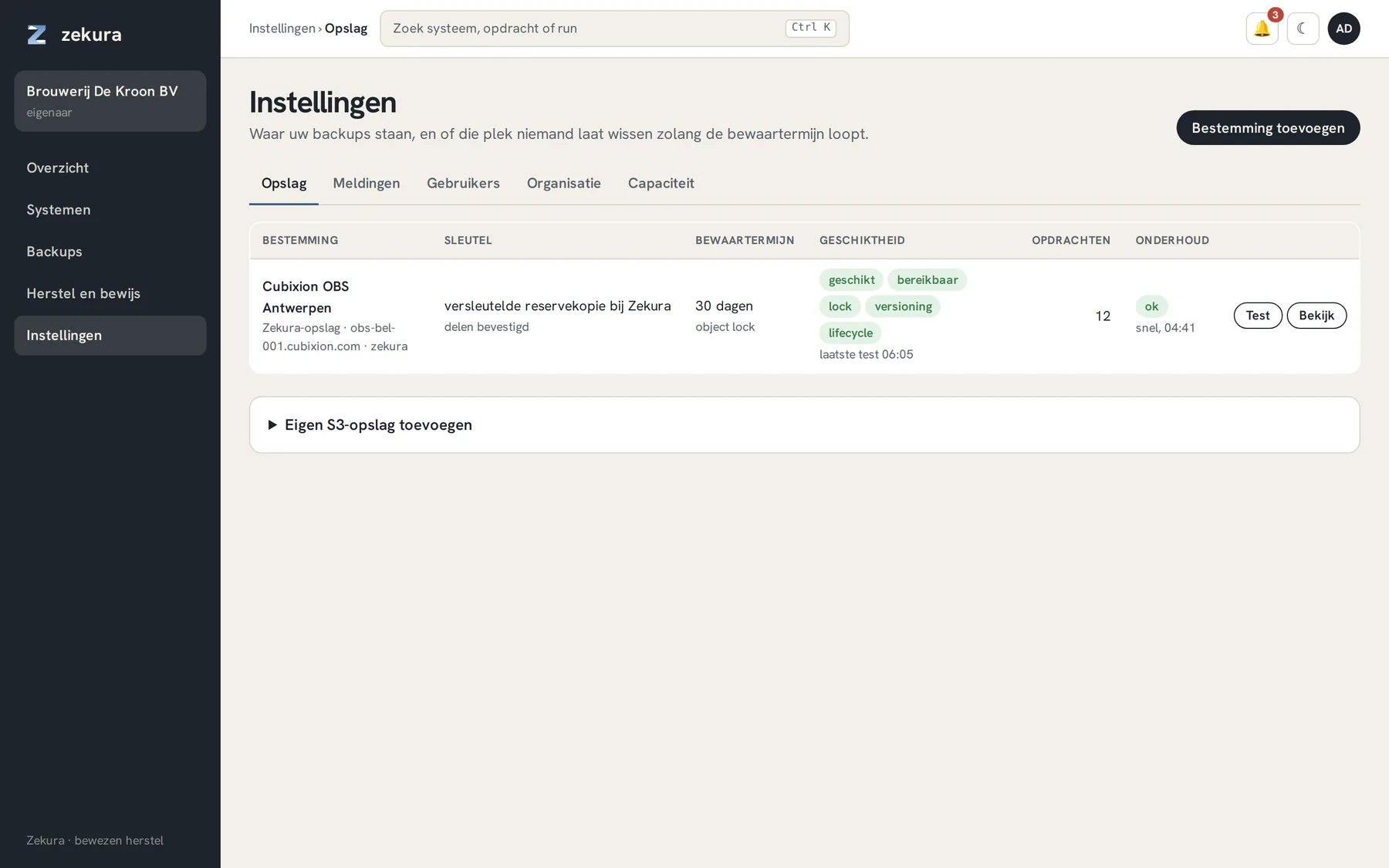
The list shows per destination the key (managed or sovereign), the retention under object lock, the result of the suitability test, the number of jobs writing to it and the last maintenance run.
What object lock in compliance mode means
Every version of every object is undeletable for the lock period (thirty days by default). Not for the agent, not for the worker, not for Zekura and not for Cubixion. A deletion during that period is only a delete marker; the locked version remains until the period ends and the bucket's lifecycle rule physically removes it. That is the core of the ransomware protection: whoever takes over your server and steals the agent key can destroy nothing.
Two locations
If you have to follow DORA or NIS2 strictly, choose two locations: every run goes to two independent EU destinations. A fire or an outage at one does not touch the other. The rate is on the price list.
Your own S3 bucket
You may also use your own bucket, at any S3-compatible provider: Cubixion, AWS, Hetzner, Scaleway, your own MinIO. Then we do not even hold the storage; we only see encrypted blocks that you keep yourself.
Settings → Storage → Add your own S3 storage. Enter endpoint, bucket, prefix and two key pairs, and Zekura tests the bucket immediately:
| Check | Why |
|---|---|
| Versioning on | without versioning a deletion cannot be undone |
| Object lock in compliance mode | so that even the bucket's administrator cannot delete anything within the retention period |
| Lifecycle rule | otherwise the bucket grows forever; clean-up is done by the bucket itself, never by the agent |
| Agent key cannot delete | an attacker with root on your server has that key; it may only append |
| Write and read succeed | obvious, but tested |
A destination that fails the test can still be used (for example while setting up), but it is shown in red and counts as weak in the Restore Assurance Score. Use Test after you have adjusted the bucket.
Two keys, two roles
The agent key lives on your servers and may only append and read. The worker key may delete and is only used by maintenance and verification on our separate infrastructure, never on your server. If you provide only an agent key, everything works except pruning expired snapshots.
Maintenance
A separate worker maintains the repository: a light pass daily, a full pass weekly. Every pass is a chain record with the number of blobs removed. Every day Zekura also counts the delete markers under every destination and compares them with what the chain accounts for. Unexplained markers raise a critical alert.