- Home
- Documentation
- Jobs: what, where to, how often
Documentation
Jobs: what, where to, how often
Files, PostgreSQL with point-in-time recovery, MySQL, SQL Server, Docker volumes, Gitea, Mailcow, Nextcloud, Proxmox VMs and Kubernetes. With schedule, retention and templates.
The Backups list
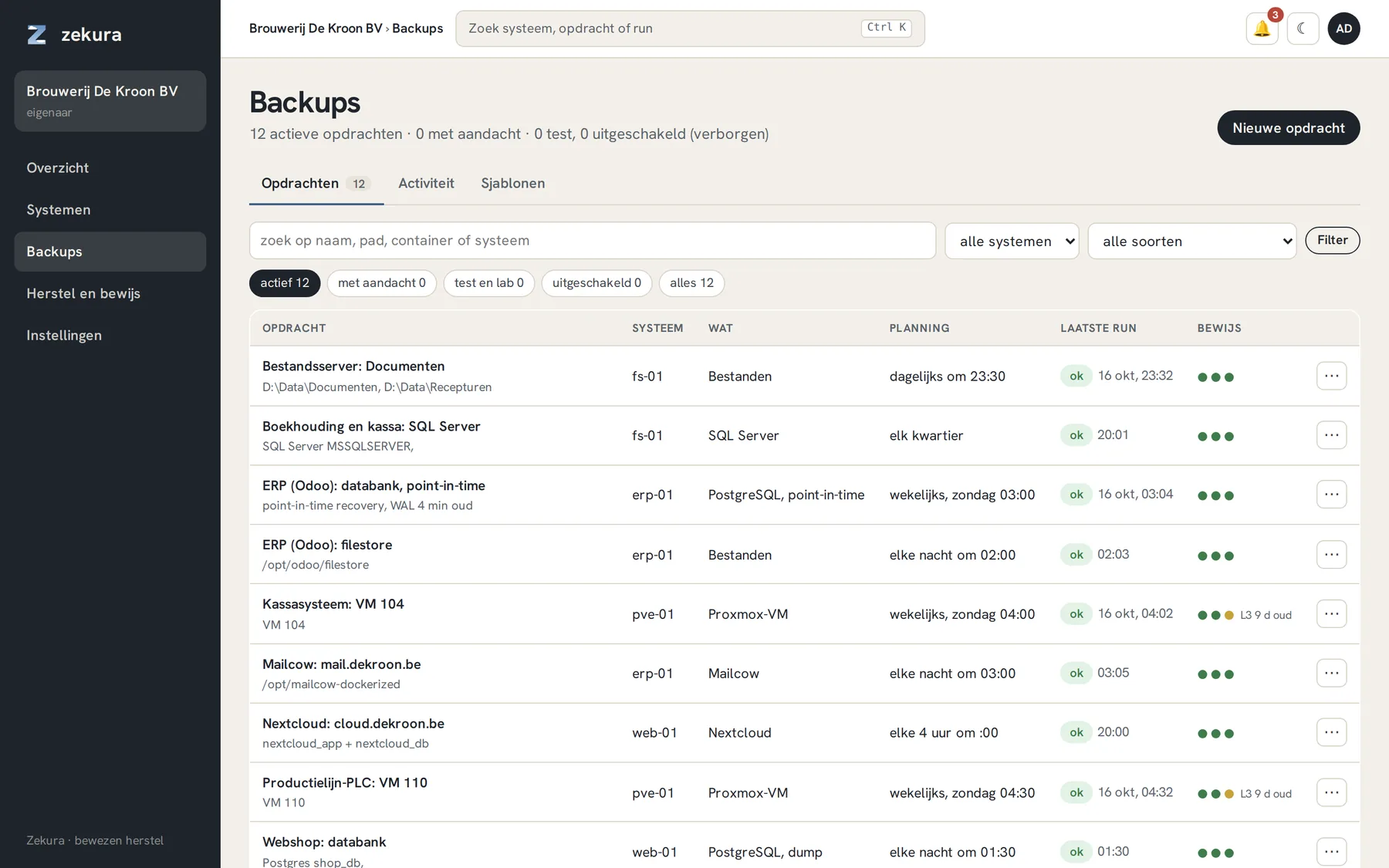
A job says what is protected on a system, where it goes and how often. The list under Backups shows per job the system, the kind, the schedule, the last run and three dots for the proof: L1, L2 and L3 (see Verification). Filters at the top quickly show what needs attention.
Creating a job
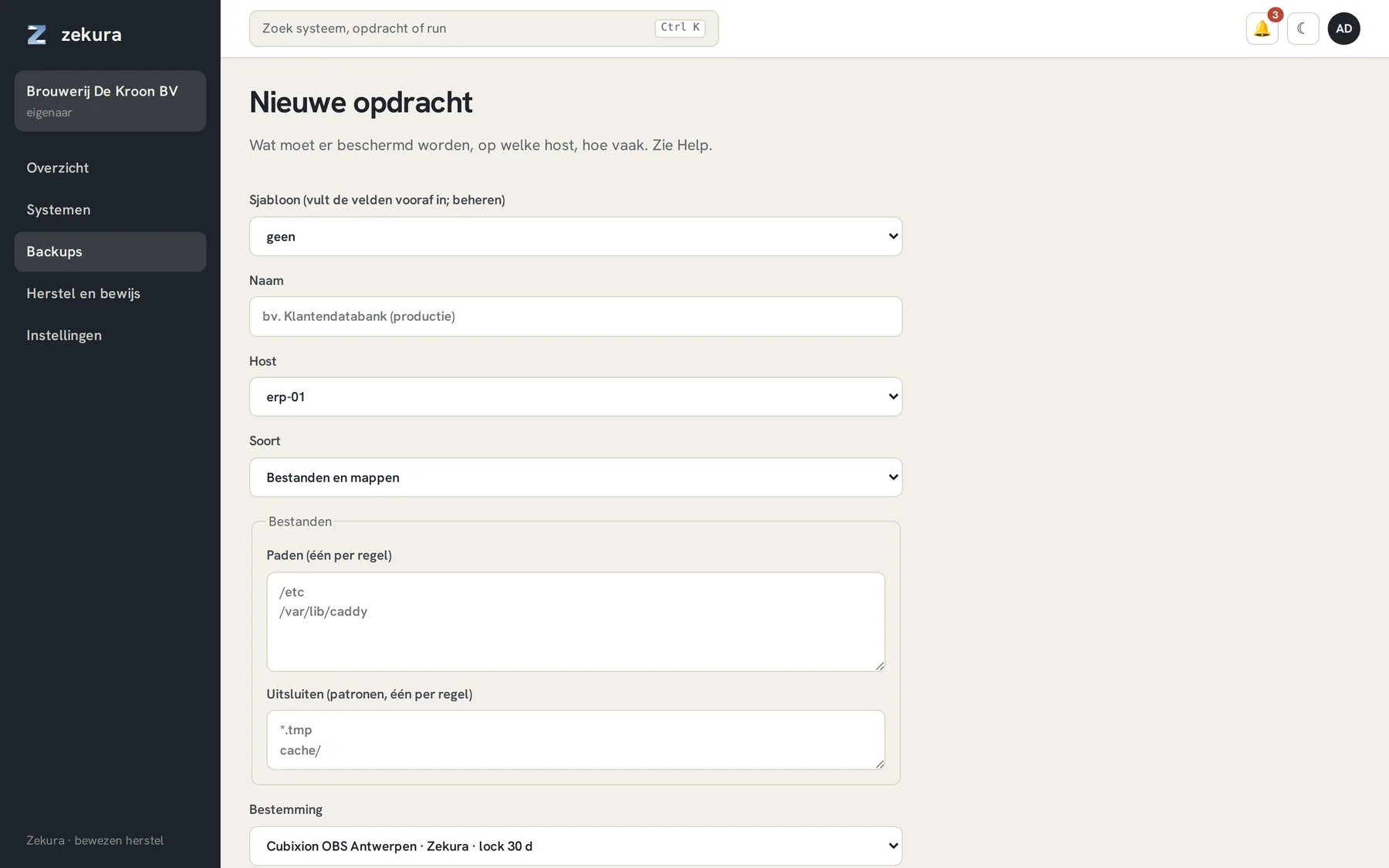
Backups → New job. Optionally pick a template (pre-fills kind, schedule and retention policy), give a name, choose the system and the kind.
| Kind | What happens |
|---|---|
| Files and folders | paths and exclude patterns; the agent reads as root, permissions and symlinks are included |
| PostgreSQL, point-in-time | weekly base backup plus continuous WAL shipping; restore to any point in time, the WAL interval is your RPO |
| PostgreSQL, dump | consistent logical dump per database, plus roles and table metrics |
| MySQL / MariaDB | --single-transaction dump per database via the container; password from the environment, never stored in Zekura |
| SQL Server | native chain of full, differential and log backups; restore to a point in time |
| Docker volumes | named volumes from the inventory, optionally pausing containers |
| Gitea, Mailcow, Nextcloud | one consistent set per application: database, data, keys and configuration, in the right order |
| Proxmox VM | vzdump in snapshot mode, while the VM is running |
| Kubernetes | resources per namespace as YAML plus the contents of every PVC |
| Microsoft 365, Google Workspace | via a connector host, see Cloud sources |
The form uses the system's inventory: you pick containers, volumes and databases from a list instead of typing them. Leave the database list empty to take everything, including databases added later.
Schedule and retention
The schedule is cron-like, in Belgian time, with up to ten minutes of random jitter so that not all your systems leave at exactly 02:00. "Manual" means: only via Run now. Retention comes from the policy: how many versions per day, week, month and year. Under object lock every version stays undeletable for at least the lock period (thirty days by default).
A job's page
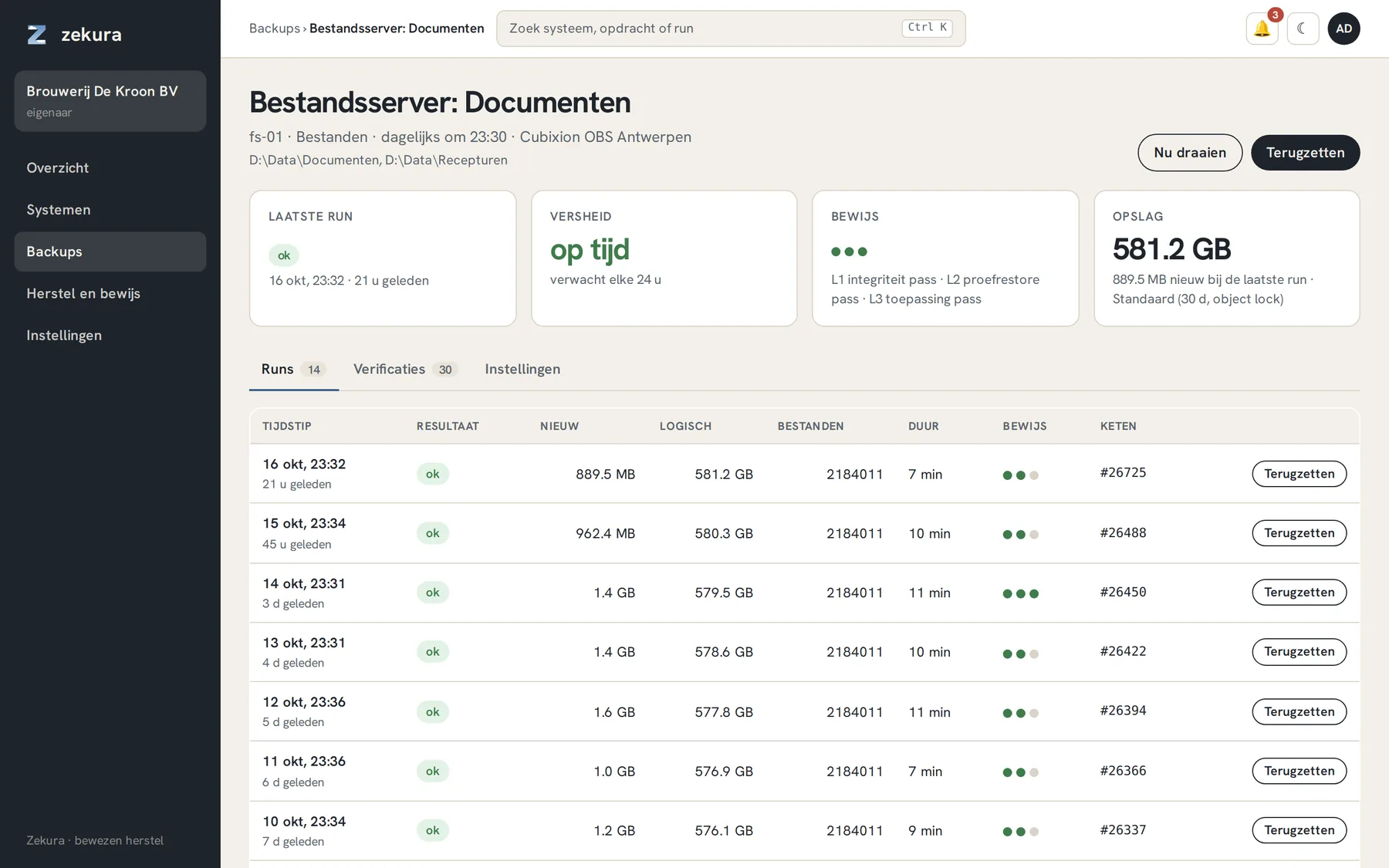
Four cards summarise the state: last run, freshness, proof per level and storage. Below them the runs, each with new data, logical size, duration, proof and chain record, and a Restore button.
For a failed run the error is at the top in plain language, with the agent's log below it, so you see the cause without having to look at the server.
Changes with a delay
Everything that weakens your protection (disabling a job, shortening retention) only takes effect 72 hours later. Everyone is notified immediately, the change is listed under Settings → Organisation with a cancel button, and both request and execution go into the evidence chain. Whoever takes over your account cannot make your backups worthless the same day.