- Home
- Documentation
- Systems: adding a server
Documentation
Systems: adding a server
Linux, Windows, Docker hosts, Proxmox nodes and verifiers: one command, and what the agent does and does not do on your server afterwards.
What a system is
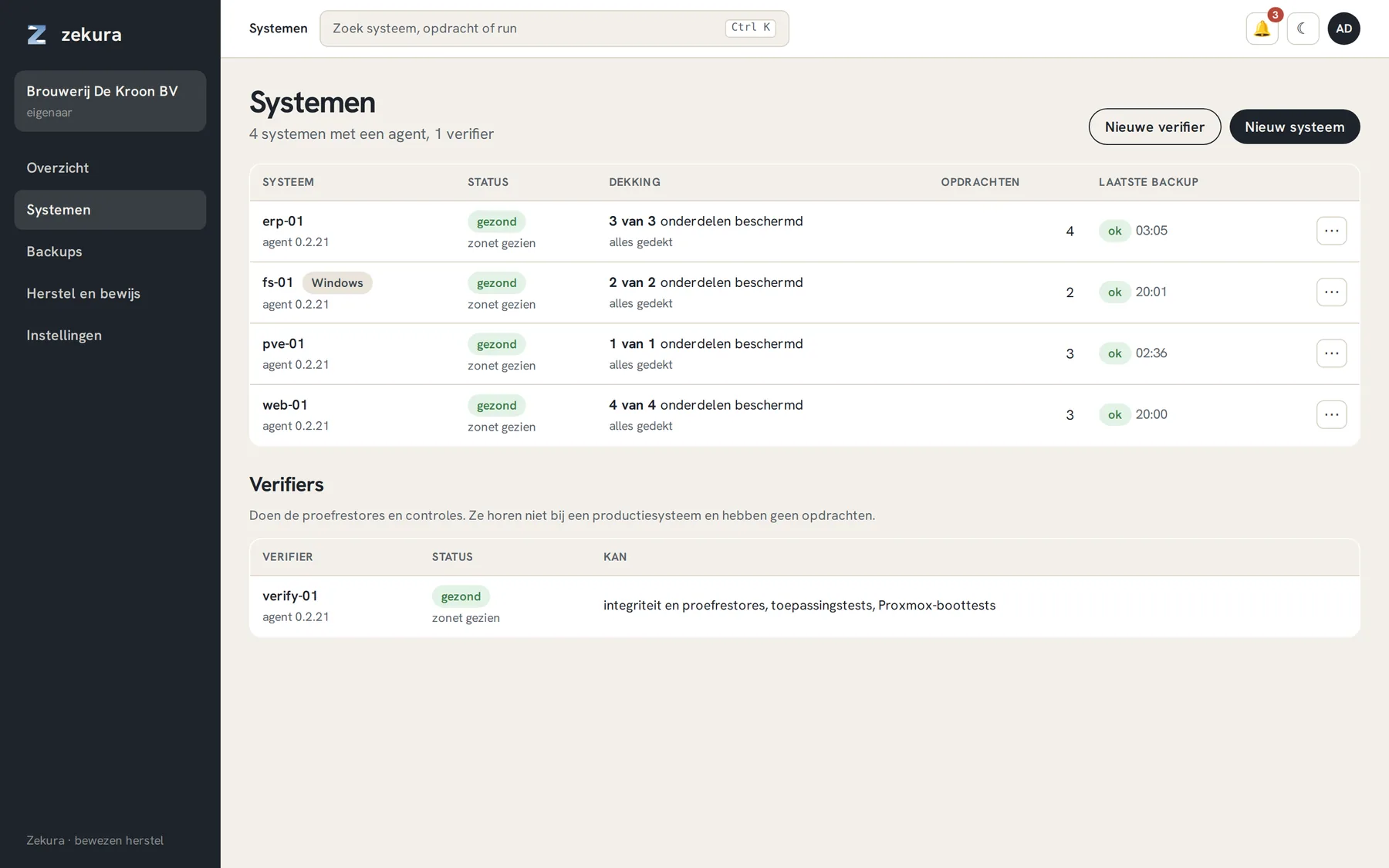
A system is a machine running the Zekura agent: a Linux server, a Windows server, a Docker host, a Proxmox node or a small connector VM for cloud sources. The list under Systems shows per machine the status, the agent version, the coverage (how many discovered components are protected) and the last backup.
Adding with one command
Systems → New system gives an install command with a one-time token (valid for seven days). For Linux:
curl -fsSL https://app.zekura.eu/install.sh | sudo bash -s -- --token <token>
What it does, in that order: download zekura-agent (one static 2.7 MB binary) and the storage engine, create a systemd service, register the server with the token and start the service. At registration the agent generates its own key pair; with the private key it signs every report it sends to the portal. That key never leaves the server.
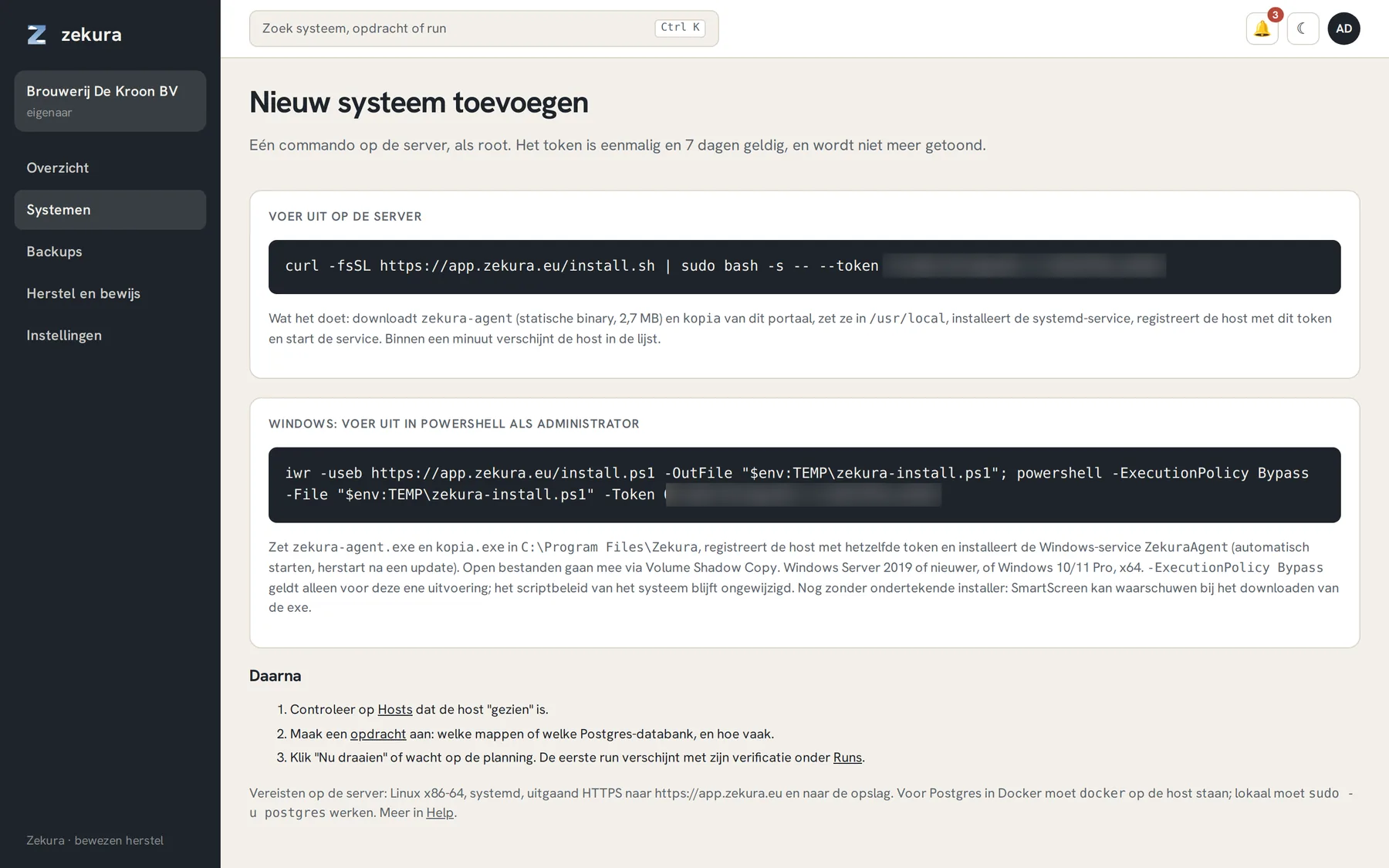
Windows Server 2019 and newer (and Windows 10/11 Pro) gets a PowerShell command that installs the same agent as a Windows service. Open files are included through Volume Shadow Copy; SQL Server is protected through its own native backup chain.
Requirements: outbound HTTPS to app.zekura.eu and to the storage. No inbound ports, no VPN. For databases in Docker, docker must be present on the host.
What the agent can and cannot do
- It can read what you put in a job, encrypt it on your server and append it to the storage.
- It cannot delete: its storage key may only append. Even someone with root on your server who steals the agent key cannot destroy a backup.
- It cannot run maintenance on the storage; a separate worker on our infrastructure does that.
- It updates itself: at every heartbeat it checks for a new release, verifies sha256 and the Ed25519 signature, and replaces itself between two jobs. Never during a backup.
Components and coverage
Open a system and choose the Components tab. There you see what the agent discovered: database containers, databases inside a server, named volumes per Docker project, and the system configuration. Unprotected components are on top, with a button that pre-fills the job form. If something new appears, you get a notification.
Verifiers
A verifier is a system that makes no backups but performs the trial restores and checks. Put it on a different machine than the servers it checks: that is the whole point. Add one via New verifier, with the same kind of command. If you do not run your own verifier, you use Zekura's.
Pausing and retiring
On a system's page you set a pause of one hour to three days, with a reason, for example for maintenance. Retiring a system takes effect immediately if it has no jobs; if it does, the 72-hour waiting period applies, with a notification and a cancel button. Runs, verifications and the evidence chain are kept, and the backups remain for as long as their retention runs.