- Home
- Documentation
- Restoring in four steps
Documentation
Restoring in four steps
What, from when, where to, confirm. Files to a folder, databases as a disposable instance, cloud data under a separate folder. With measured recovery time in the chain.
The wizard
Recovery and evidence → Restore guides you through a restore in four steps: what (which job), from when (which snapshot), where to (which system and folder) and confirm. You can also start from a run: every run in a job has a Restore button.
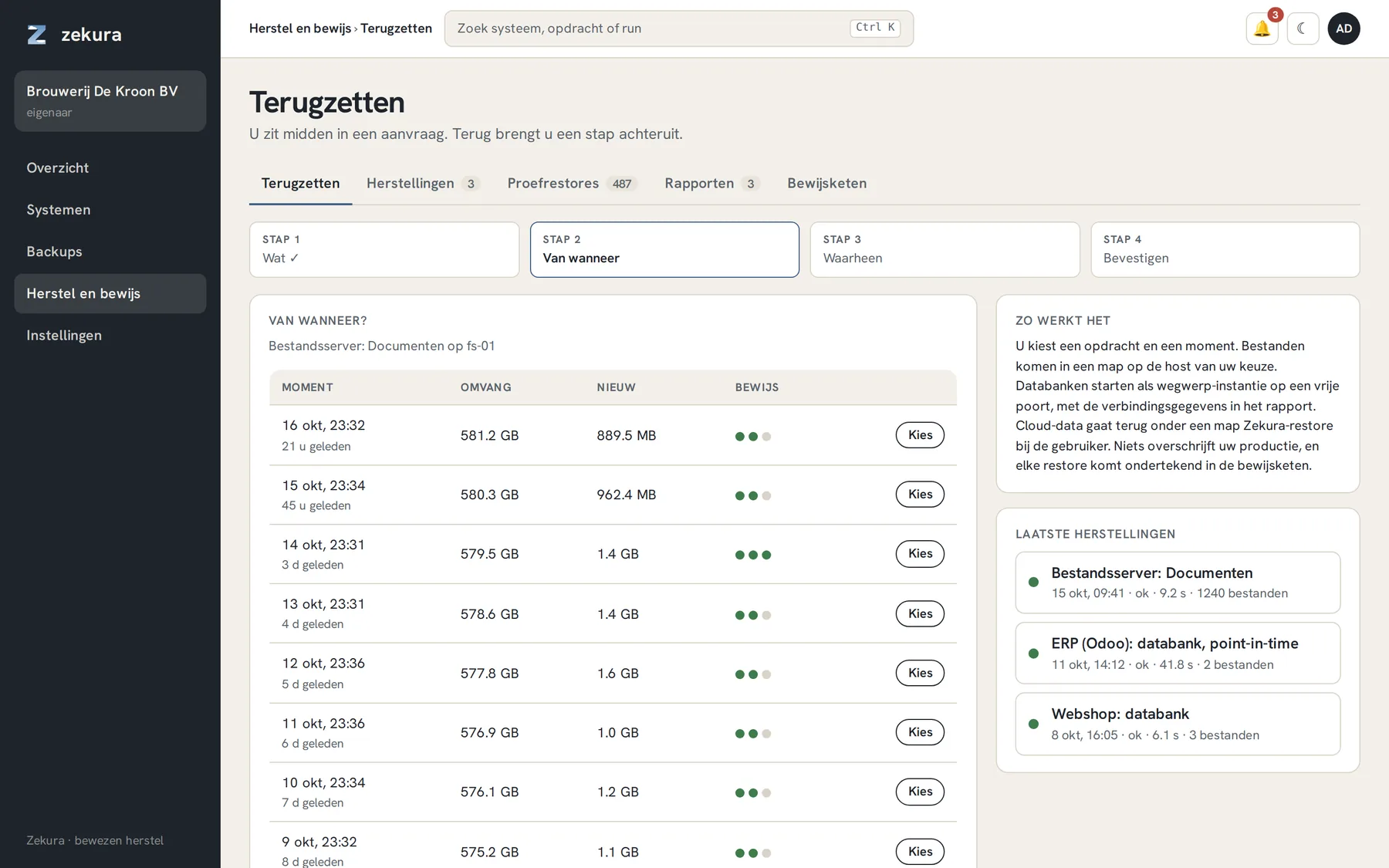
In step 2 you see per snapshot how much was stored, how much was new and which verifications passed. A snapshot with three green dots has been proven restorable on three levels. Feel free to pick last week's: under object lock it is guaranteed to still be there.
What happens per kind
| Kind | What you get back |
|---|---|
| Files | the files in a folder on the system of your choice, with checksums per file |
| PostgreSQL, point-in-time | a disposable Postgres of the same major version on a free port, replayed to the point in time you chose; the connection details are in the report |
| PostgreSQL or MySQL, dump | the dump files, and on request loaded into a disposable instance |
| SQL Server | a disposable SQL Server with full, differential and logs applied up to the chosen time |
| Proxmox VM | the VM as a new VM on the node, without network, ready to inspect or promote |
| Kubernetes | YAML plus the contents of every PVC, to a folder or directly into a PVC |
| Microsoft 365, Google Workspace | to a folder on the connector host, or back into the tenant under a Zekura-restore folder, never over the original |
Nothing overwrites your production unless you explicitly restore to the production folder. The disposable instances stay until you remove them, so you can look inside, take a dump or promote them to new production.
The report and the chain
The agent on the target system picks up the request, restores, counts and hashes what is there, and reports back signed. The result is listed under Restores and as a record in the evidence chain, with the measured duration. That number is what an auditor wants to see: not "we have a backup", but "we restored it in 9 seconds, on that date".
The overview always shows the last proven restore. So everyone in the organisation knows when something was last really restored.
Trial restores
Under Trial restores are all the restores Zekura performed itself as verification: a sample every day, a full application every week. That quickly adds up to hundreds a month. Each is a real restore on a separate machine, with the evidence attached.
Restoring without the portal
On the system itself the storage engine also works directly, with the configuration in the agent's state folder. And whoever holds the key can restore on a clean machine without Zekura. See Keys.